A New Toolkit for Productivity
Microsoft has officially rolled out version 0.102 of PowerToys, the essential suite of open-source utilities for Windows power users. This update brings significant functional improvements, particularly for mouse navigation and system automation, that make everyday tasks on Windows 11 feel more fluid.
Master Your Mouse: Two Major Additions
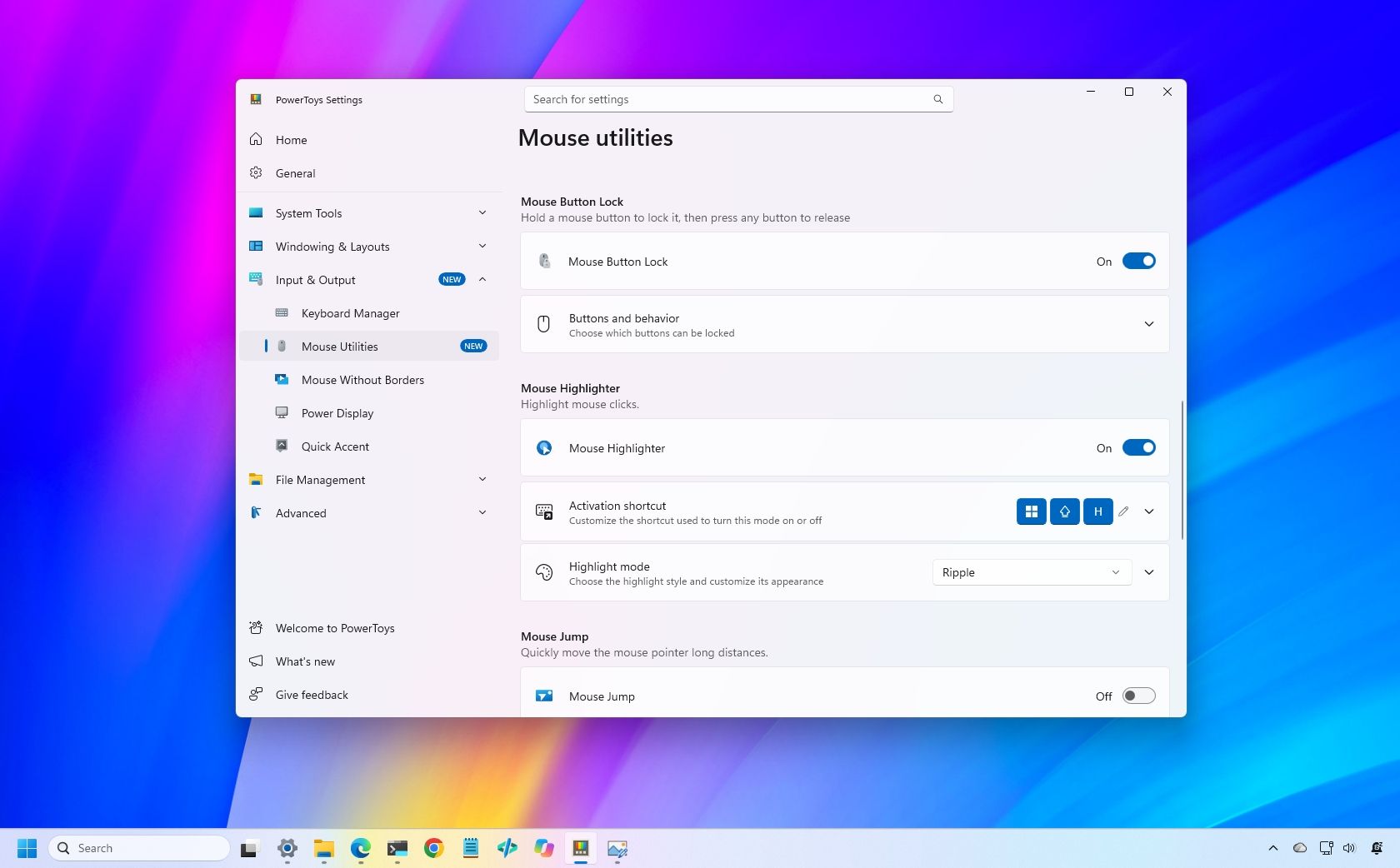
The headline features for this release are Mouse Button Lock and CursorHide. These utilities are designed to reduce physical strain and visual clutter during long work sessions.
- Mouse Button Lock: Allows users to lock a mouse button in a pressed state, enabling effortless dragging and selection without needing to keep a physical finger pressed down.
- CursorHide: Automatically hides your mouse pointer when you start typing, ensuring it never obstructs your view of the text.
Automation and Command-Line Power
Beyond mouse utilities, PowerToys 0.102 leans heavily into scriptability. Microsoft has introduced new command-line tools that allow users to automate several utilities directly from the terminal. You can now manage Advanced Paste, Light Switch, Settings, Peek, and PowerDisplay using the command line, offering IT administrators and advanced users more control over their environment.
Under the Hood: UI and Feature Refinements
The update isn't just about new tools; it's also about modernization. Both Color Picker and Text Extractor have been migrated to WinUI 3, providing a more consistent and modern look alongside improved performance. Furthermore, the Command Palette has received a new quick-access shelf, and Keyboard Manager now supports more sophisticated remapping options, including the ability to build shortcuts using a searchable key picker.
With this release, PowerToys continues to bridge the gap between casual Windows usage and high-level productivity, moving more controls into the terminal and refining the core user experience.
— Technical Review