A New Era of Personalization
In 2026, the rivalry between Android 17 and iOS 27 has reached a boiling point. While both operating systems have long offered widgets, this year marks a significant shift in how they prioritize data access and UI fluidity. Whether you are a dedicated iPhone user or a fan of the Android ecosystem, the latest updates offer distinct approaches to how you manage your day-to-day interactions.
Lock Screen Customization: Android vs. Apple
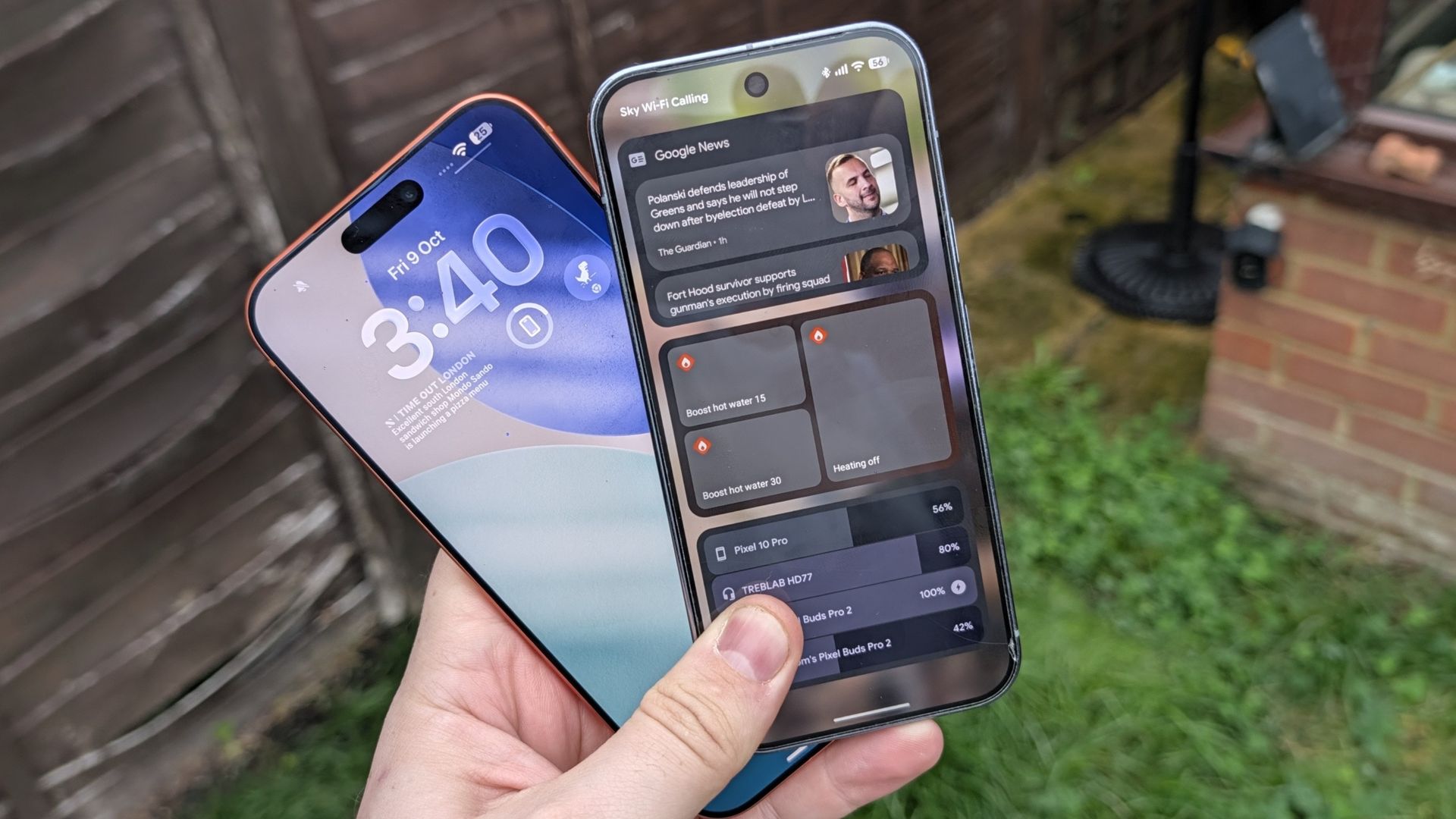
iOS 27 has made significant strides in lock screen customization. Users can now minimize the clock entirely, a design choice reminiscent of Android’s 'At a Glance' widget. Additionally, Apple allows for dynamic background color changes and provides a deep level of widget and clock tuning.
Android 17, meanwhile, leans into utility. While its lock screen widget system is powerful and allows for more complex actions without unlocking the device, it sometimes suffers from discoverability issues. Users often end up unlocking their phone out of habit, whereas iOS 27 keeps its widgets positioned front and center.
Multitasking and App Bubbles
The most significant functional gap remains in multitasking. Android 17 has introduced 'App Bubbles,' a modernized take on classic chat heads. This feature allows users to stash active apps—like a ride-sharing tracker or a group chat—into a floating bubble, keeping them accessible while doing other tasks. In contrast, multitasking on iOS 27 remains more restrictive, focusing on a cleaner, single-tasking experience.
- Android 17: Features App Bubbles for fluid multitasking.
- iOS 27: Offers superior control over lock screen aesthetics and clock customization.
- Android 17: Widgets allow for more actions without requiring phone authentication.
- iOS 27: Enhanced Spotlight Search and more expandable Control Center tiles.
Android gives you the option to have as many widgets as you like, with the added ability to perform certain actions without needing to unlock your phone.
— Tom's Guide