A More Personal Windows Experience
Microsoft is officially rolling out its September 2026 update for Windows 11, and for power users, it’s a breath of fresh air. While the update includes a variety of system-wide improvements, the headline features revolve around granular user control—specifically regarding how the desktop functions and feels.
Rather than focusing on massive, disruptive architectural changes, this release prioritizes the 'feel' of the operating system. If you have felt restricted by Windows 11’s rigid interface design in the past, these new settings are designed to let you reclaim your workspace.
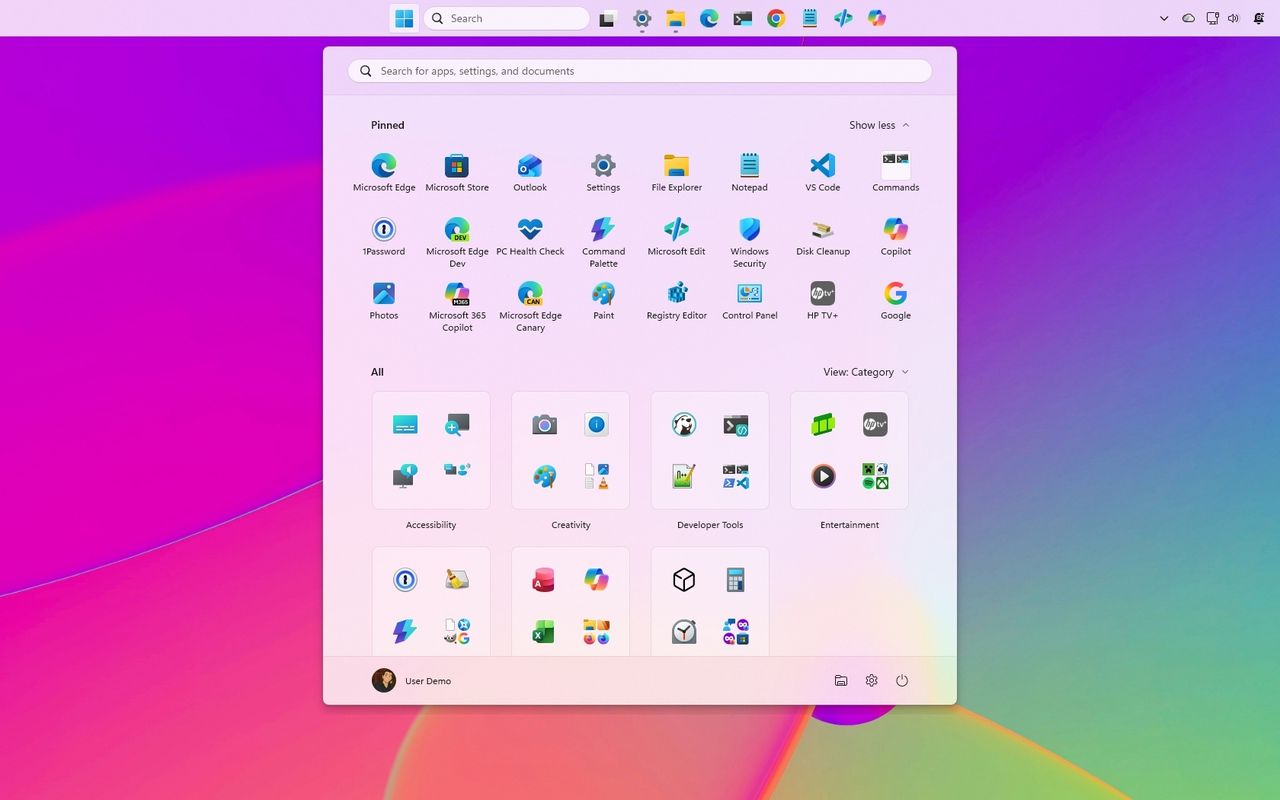
Three Tweaks to Customize Your Desktop
The update introduces three specific customization options that can fundamentally alter your daily workflow. Here is what you should look for after your system updates:
- Taskbar Positioning: You can now relocate the taskbar, allowing for more flexible monitor setups and desktop real estate management.
- Resizable Start Menu: The Start menu is no longer a static size, giving you the freedom to adjust its footprint to better match your app usage and screen resolution.
- Web and Store Suggestion Control: You can now disable intrusive web and Microsoft Store suggestions, resulting in a significantly cleaner and less cluttered Start menu experience.
These changes reflect a shift in Microsoft's approach toward Windows 11, moving away from a 'one size fits all' aesthetic. By allowing users to toggle off recommendations and resize core UI elements, Microsoft is catering to the vocal feedback from power users who prefer a lean, focused interface.
I wouldn't call these revolutionary changes, but that's exactly why I think they are important. A lot of people use the operating system differently, and these small controls can make the experience feel much more personal.
— Windows Central
What This Means for the Future of Windows
The gradual rollout of these features suggests that Microsoft is prioritizing system stability while testing how users interact with higher levels of control. As these features become standard, we may see further expansion of customization in future builds, potentially including even deeper integration with third-party tools or more advanced File Explorer refinements. For now, take a moment to explore the Settings menu after your update—your ideal desktop layout might be just a few clicks away.