tech news••5 min read

Microsoft's New WSL Containers Could Change Windows Development Forever

Microsoft has officially released WSL Containers, a new feature allowing developers to run Linux containers directly on Windows 11 without third-party software like Docker. This integration simplifies development workflows and includes built-in GPU pass-through support.

Microsoft's New WSL Containers Could Change Windows Development Forever

A New Chapter for Windows Development

For years, the gold standard for running Linux containers on Windows has been Docker Desktop. While powerful, it often introduces complexity and overhead. Microsoft is looking to change that with the release of WSL Containers, a native feature for the Windows Subsystem for Linux (WSL) that allows developers to create, run, and manage Linux containers directly within Windows.
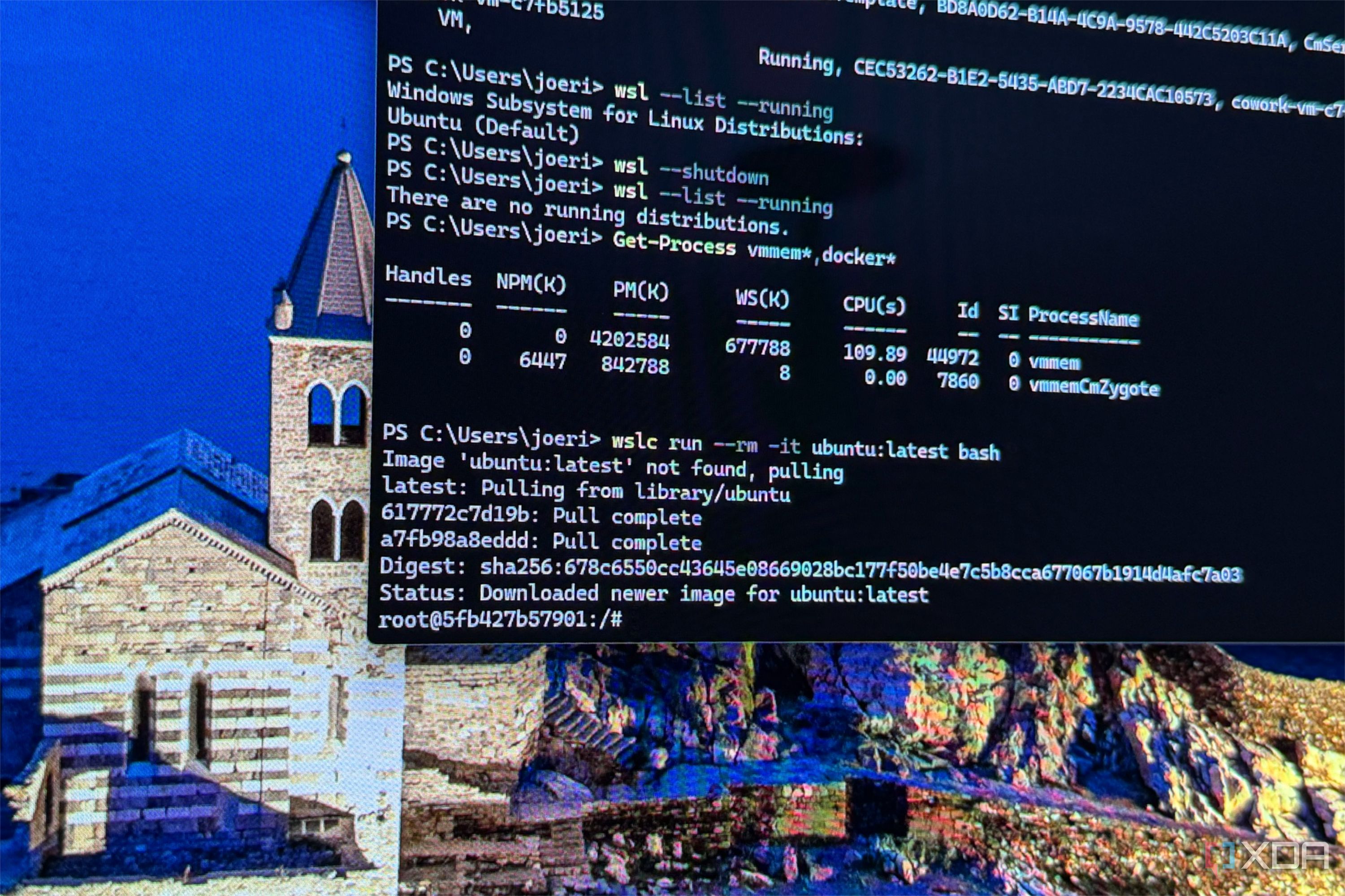
Running Linux containers is becoming a native experience on Windows 11.

How It Works: Beyond Docker

WSL Containers functions through a built-in architecture that eliminates the need for third-party runtimes like Docker or Podman. The system consists of two primary components: the command-line utility for manual management and a WSL Container API, distributed as a NuGet package for C, C++, and C# developers.

  • Native execution: Run Linux containers directly on Windows without external virtualization heavyweights.
  • Programmatic control: The WSL Container API allows Windows applications to embed Linux containers directly.
  • GPU Acceleration: Includes built-in support for GPU pass-through, making it ideal for AI and machine learning workloads.
  • Simplified setup: Accessible via simple terminal commands like wsl --update --pre-release.

Why This Matters for Developers

The introduction of this feature is more than just a convenience for power users. By enabling native container support, Microsoft is bridging the gap between Windows desktop environments and cloud-native Linux workflows. Developers can now reuse existing Linux-specific code or run cloud applications locally with significantly less friction.

WSL containers simplify this experience by providing a built-in, enterprise-ready way to create, run, and manage Linux containers on Windows, without requiring additional third-party dependencies.

— Microsoft Command Line Blog

Key Takeaways

  • Microsoft has launched native WSL Containers for Windows 11.
  • The new feature removes the dependency on third-party software like Docker Desktop.
  • WSL Containers supports GPU pass-through, crucial for AI and data science tasks.
  • A dedicated API allows Windows developers to programmatically embed Linux containers into their applications.
  • The system is currently in public preview and requires a quick WSL update.

FAQ

Do I still need Docker to run containers on Windows?

No. WSL Containers allows you to run Linux containers natively on Windows 11 without Docker Desktop or Podman.

How do I install WSL Containers?

You can update your WSL instance by running 'wsl --update --pre-release' in your terminal, then confirming the installation with 'wslc --version'.

Does WSL Containers support GPU acceleration?

Yes, Microsoft has included GPU pass-through support, which allows containers to utilize local hardware for workloads like PyTorch or other AI tasks.

Can developers use this in their own apps?

Yes, Microsoft provides a WSL Container API via a NuGet package, allowing C, C++, and C# developers to integrate Linux containers directly into their software.

Related Videos

Goodbye Docker, Hello Native WSL Containers

Gary Explains

No more Docker Desktop! WSL Containers are here with wslc!

Ed Andersen

Sources